Docs
Flexi Pipes
Flexi edges: smooth, curved runs with editable control points.
Most runs are straight segments and fixed-angle corners. When you need a smooth curve, a sweeping bend that the standard corners cannot make, convert an edge into a flexi edge. A flexi edge follows a spline you shape with control points and tangents.
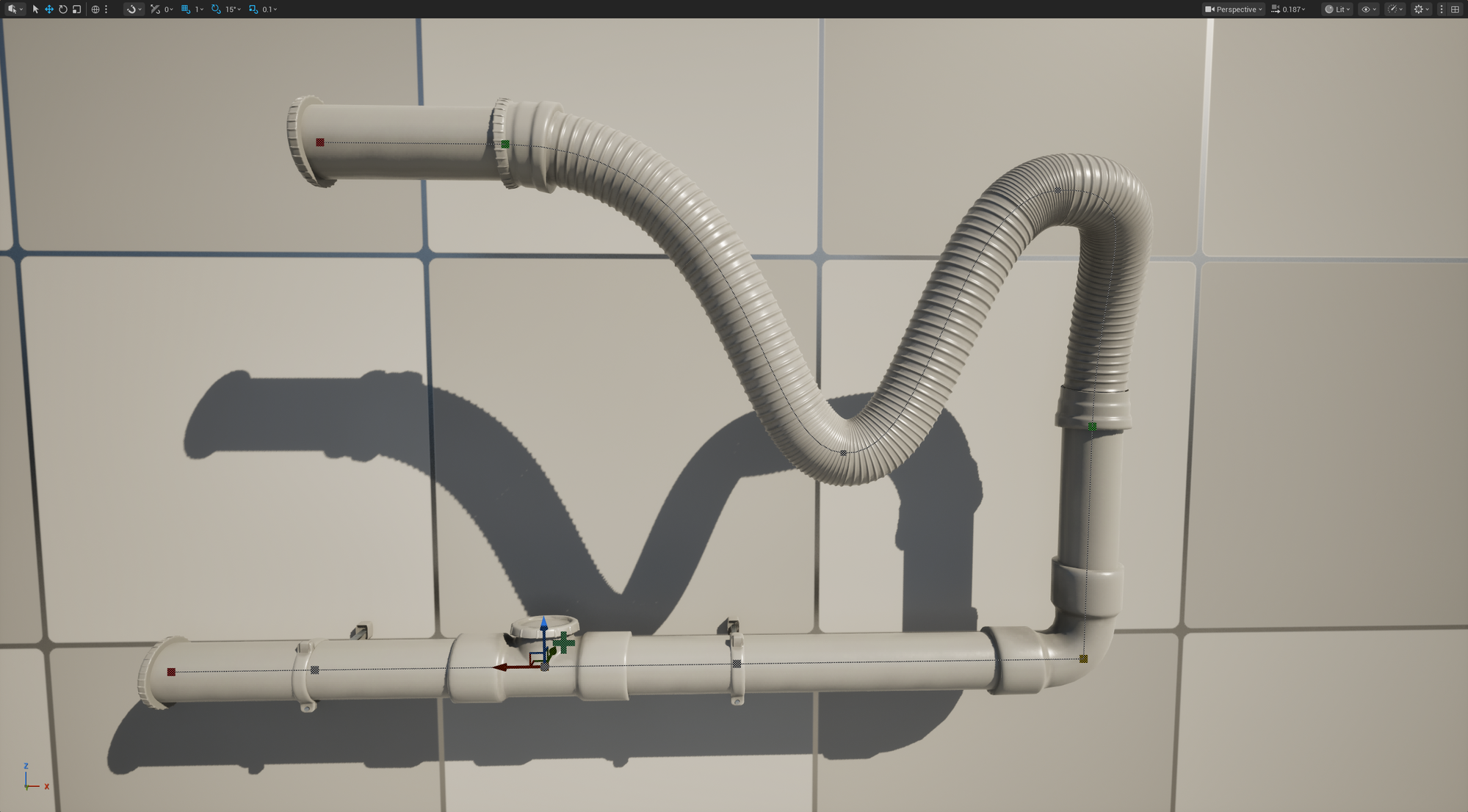
A flexi edge: the fixed-angle corner replaced by a smooth curve. The green squares are its control points.
Turning a corner into a curve
Right-click a corner (90° or 45°) and choose Convert to Flexi-pipe from the PipeIt section of the context menu. The fixed-angle corner is replaced by a curved edge between the two neighbouring pieces, ready to reshape.
Convert to Flexi-pipe: a fixed corner becomes a curve you can reshape.
Editing a flexi edge
Control points
- Move: click a control point and drag it with the gizmo.
- Insert: Shift + LMB on the curve where you want the new point, or right-click the curve and choose Insert Point Here. The new point is placed on the curve at the click position, so the shape does not jump.
- Delete: right-click the point and choose Delete Point. The two endpoints cannot be deleted; they are the anchors that connect the curve to the rest of the network.
- Step along the curve: with a point selected, , / . select the previous / next point.
Tangents
Each control point interpolates in one of two modes. Right-click a point and pick from the Interp Mode submenu, or use the shortcuts:
| Mode | What it does | Shortcut |
|---|---|---|
| Curve (Auto) | Tangents are computed from the neighbouring points, so the curve stays smooth as you move things. | Shift + T |
| Curve (User) | You set the tangents by dragging the tangent handles. Arrive and leave stay mirrored. | T |
Dragging a tangent handle switches the point to user mode implicitly. To get back to the smooth default, right-click the tangent handle and choose Reset Tangent to Auto (or press Shift + T).
The pipe mesh
The kit’s pipe mesh is tiled along the spline so the curve reads as one continuous run. To change which pipe variant is used, cycle with Alt + Wheel or right-click the curve and pick from Replace Flexi-pipe Model.
When to use a flexi edge
- Long, gentle bends that should read as a single smooth run.
- Routing around obstacles where fixed 90°/45° corners look wrong.
For runs that are mostly axis-aligned, ordinary straights and corners are simpler and cheaper; reach for flexi edges when you specifically need a curve.